Search
Browse and filter all your sample libraries.

The all-in-one sampler for Logic Pro.
Access your entire sound library and preview your samples with zero delay.
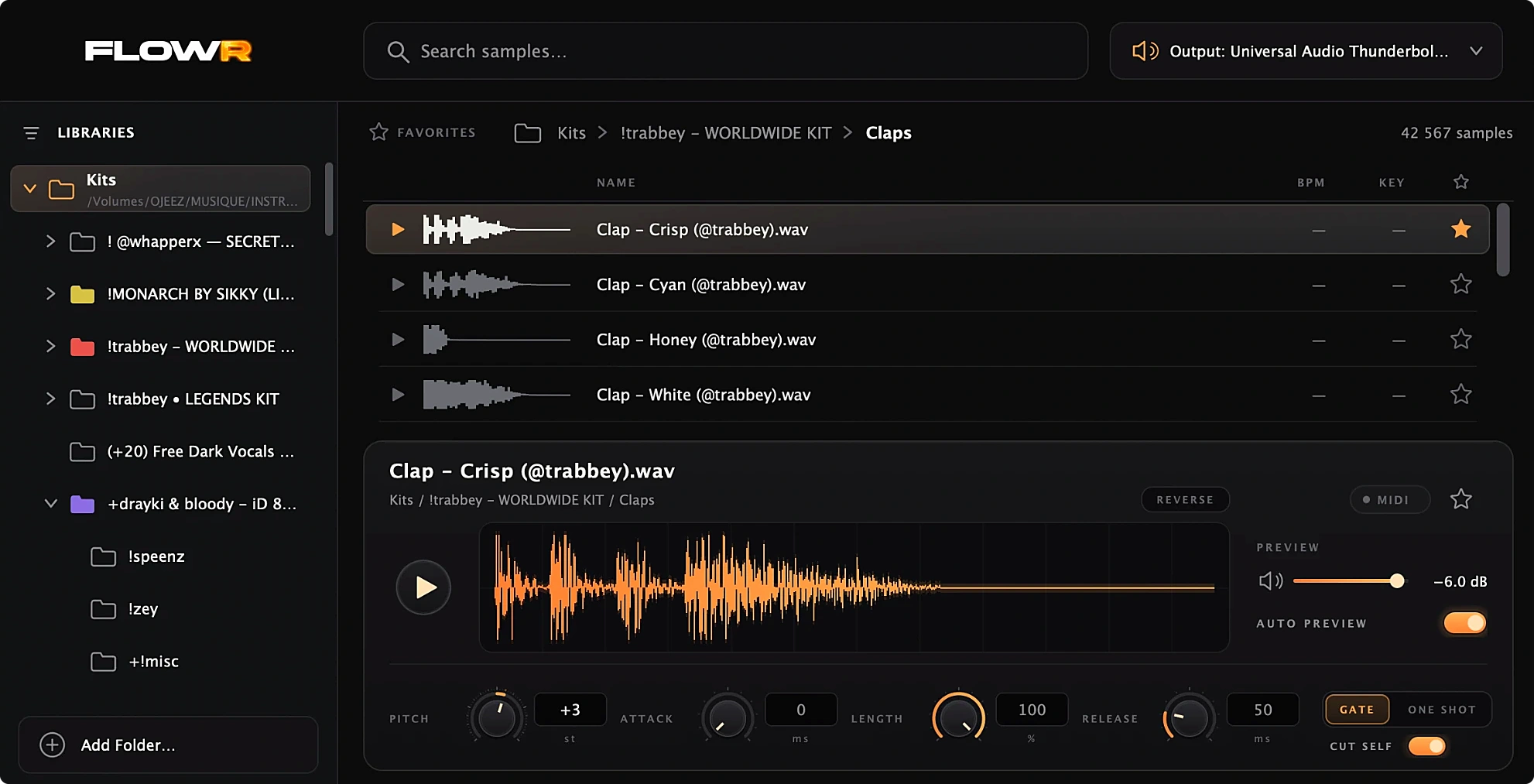
Find your sound, play it in MIDI and shape it without leaving your project.
Browse and filter all your sample libraries.
Preview your samples instantly as you browse.
Play your sample directly via MIDI or in the sequencer.
FLOWR keeps it essential: the features you actually need in a sampler.
Scan your sample libraries and find their organization directly inside FLOWR.
Instantly search thousands of samples without digging through folders.
Preview your samples instantly while your track keeps playing, no drag & drop.
Adjust pitch, attack, length and release.
Instantly flip any sample backwards.
Browse your entire sample library and audition every sound instantly, without leaving Logic Pro.
Launch offer — ending soon
Apple Silicon (M1+) · Recent macOS & Logic Pro versions
Prices include VAT or sales tax where applicable. Intel Macs, Windows, iPhone and iPad are not supported.
“Big crush on FLOWR! It’s intuitive, fast, and really well thought out for beatmakers. A little gem!”

“This plugin is insane. It seriously changes everything.”

“Crazy that they couldn’t fix this in 20 years lol. Just grabbed this and it’s working great! 🤝”

“This tool is a game changer in Logic Pro 🔥🔥”

“Finally someone thinking about adding fluidity to the workflow in Logic!! A must-have for any producer working with drum kits, and not just that.”

“Very good tool, easy to use. I recommend it to all Logic users!”

FLOWR is a sample browser and MIDI instrument built for Logic Pro. Instantly browse and preview your entire sample library, program drums, basslines and melodies, and switch between sounds in a click — all without interrupting your creative flow.
FLOWR combines a fast sample browser with built-in MIDI playback. Browse your entire sample library, instantly preview sounds, and play them directly with your MIDI keyboard. Shape your sounds with pitch, attack, length, release and reverse controls — all without leaving Logic Pro.
FLOWR is built and tested for Logic Pro, as an Audio Unit (AUv2). Other host applications and other plugin formats (VST3, AAX) are not supported or tested.
Compatibility
Experiencing compatibility issues? Contact us at hello@flowraudio.com.
No. FLOWR runs only on Macs with Apple Silicon (M1 or newer). Intel Macs and Windows are not supported.
Yes. One license can be activated on up to 2 Macs. To move FLOWR to another Mac later, you can deactivate a Mac from inside FLOWR (click the FLOWR logo, then Deactivate this Mac), which frees its slot.
No. FLOWR is a one-time payment for a lifetime license. There is no subscription and no recurring fee.
Only once, to activate your license. After that FLOWR works offline. When you are online, FLOWR may quietly check your license in the background (about once a week); being offline never stops it from working.
Right after your purchase you receive an email with your license key and a link to the installer (check your spam folder if you do not see it). Install FLOWR, open it in Logic Pro, enter the key and click Activate. Paddle sends your receipt separately.
All FLOWR 1.x updates are included at no extra cost. A future major version (2.0) may be sold separately.
Yes. You can ask for a full refund within 14 days of your purchase, with no questions asked. A refunded license is deactivated. See the refund policy.
No. FLOWR works on the files on your Mac: your audio, your samples and the contents of your libraries are never sent anywhere. FLOWR only contacts our license server to activate, renew and deactivate your license. See the privacy policy.
Payments are handled by our reseller Paddle.com, the Merchant of Record for all our orders, who also issues your receipt. See our Terms of Service. Questions? hello@flowraudio.com.